
How we present information can affect how easily participants understand, process and remember what we are teaching.
One useful reference for trainers is Mayer’s 12 Principles of Multimedia Learning. These principles provide some simple guidelines for designing learning materials that are easier for participants to follow and learn from.
Here’s a quick look at the 12 principles:
1. Multimedia
Use words and visuals together.
Instead of relying only on text, combine words with relevant images, diagrams or videos where appropriate. For example, if you are explaining a process, a simple diagram may help participants understand it better than a slide filled with bullet points.
2. Coherence
Remove information that is not necessary.
Not everything needs to go onto the slide. Unnecessary text, decorative images, sounds or information can distract participants from the main message.
Ask yourself: “Does this help them learn?”
If not, consider leaving it out.
3. Spatial Contiguity
Place words close to the visuals they explain.
If a label or explanation refers to a particular part of an image, put it near that part. This saves participants from having to look back and forth between different parts of the slide.
4. Temporal Contiguity
Present related words and visuals at the same time.
When explaining something using a visual, try to show the explanation while the relevant visual is on screen, rather than showing the visual first and explaining it much later.
5. Redundancy
Avoid saying or showing the exact same thing unnecessarily.
For example, if a video already contains narration explaining a diagram, you may not need to put the entire narration word-for-word on the screen. Give participants something useful to look at rather than making them read everything you are saying.
6. Pre-training
Introduce important terms before getting into the main content.
If your session uses technical terms, acronyms or unfamiliar concepts, introduce them early. This gives participants a foundation before they encounter more complicated information.\
7. Modality
Use spoken narration together with visuals where appropriate.
For online learning or e-learning, a combination of visuals and spoken explanation can be more effective than putting everything into text on the screen.
8. Signalling
Highlight what is important.
Help participants know where to focus. You can use headings, highlights, bold text or other visual cues to draw attention to important information.
9. Segmenting
Break information into smaller sections.
Instead of presenting a long process or a large amount of information all at once, divide it into manageable parts. This is especially useful for e-learning content, where learners can move through information at their own pace.
10. Image
The trainer’s image is not always necessary.
When creating e-learning or multimedia content, you don’t have to show the speaker on screen all the time. Use the space to show visuals that help explain the content instead.
11. Voice
Use a natural, human voice where possible.
For e-learning or recorded content, a friendly human voice can make the learning experience feel more engaging and personal than relying entirely on automated or mechanical narration.
12. Personalisation
Use a conversational and relatable style.
Learning does not always have to be so formal. Using a more natural, conversational tone can make the content feel more approachable and help participants connect with the material.
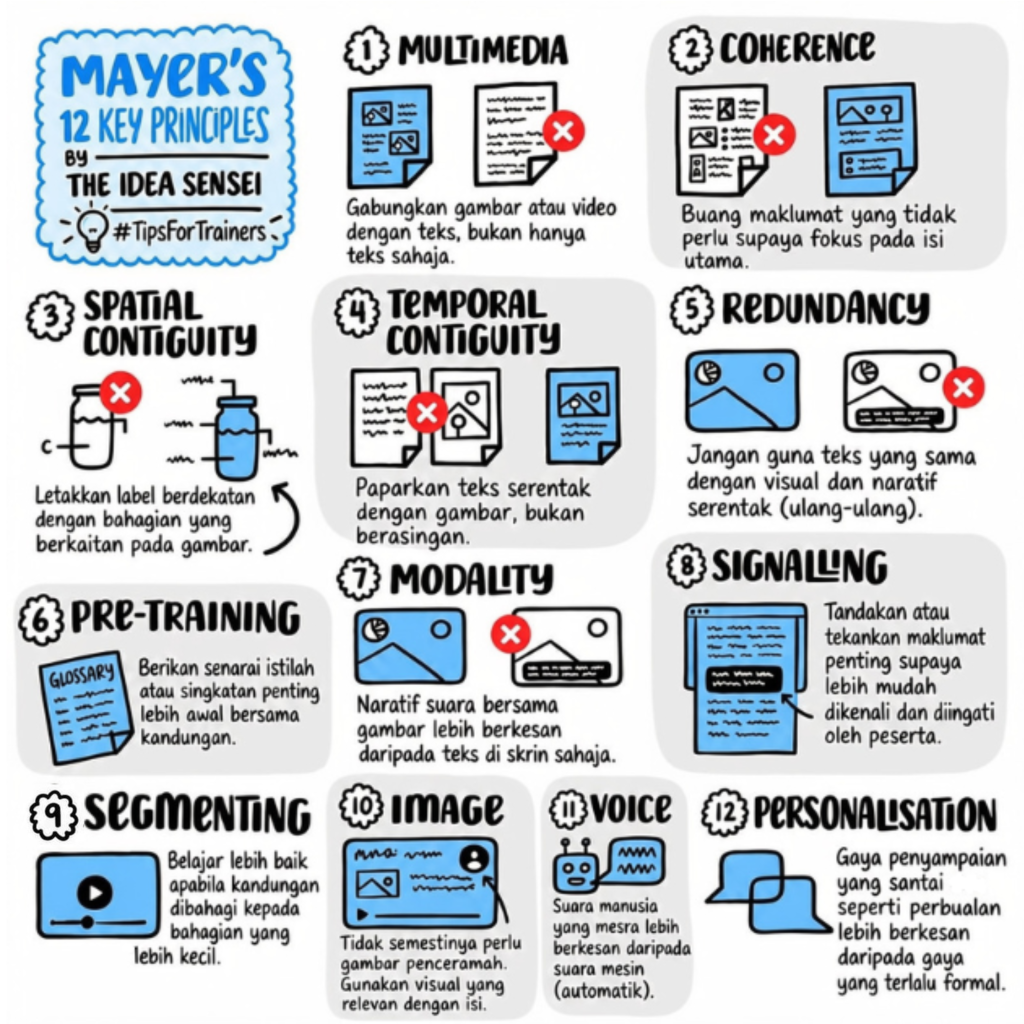
Keep these 12 principles as a handy reference whenever you are preparing your next training material, especially for online sessions and e-learning content.
Leave a Reply